
Backstitch and long stitch
Mark the backstitch printed on your chart, or draw your own.
What you'll do: mark backstitch lines that Stitched Off read from your chart, and draw lines the chart doesn't show.
Before you start
Open a pattern and finish setup, so you are on the stitching screen. You will use the Backstitch tool in the toolbar down the left side.
Steps
- Tap the Backstitch tool. A banner appears at the top of the chart: "Backstitch, drag along the cell edges, Done to stop drawing".
- Tap the Backstitch tool again to open the line kind picker. It shows Back, Long and French knot. Choose Back for backstitch.
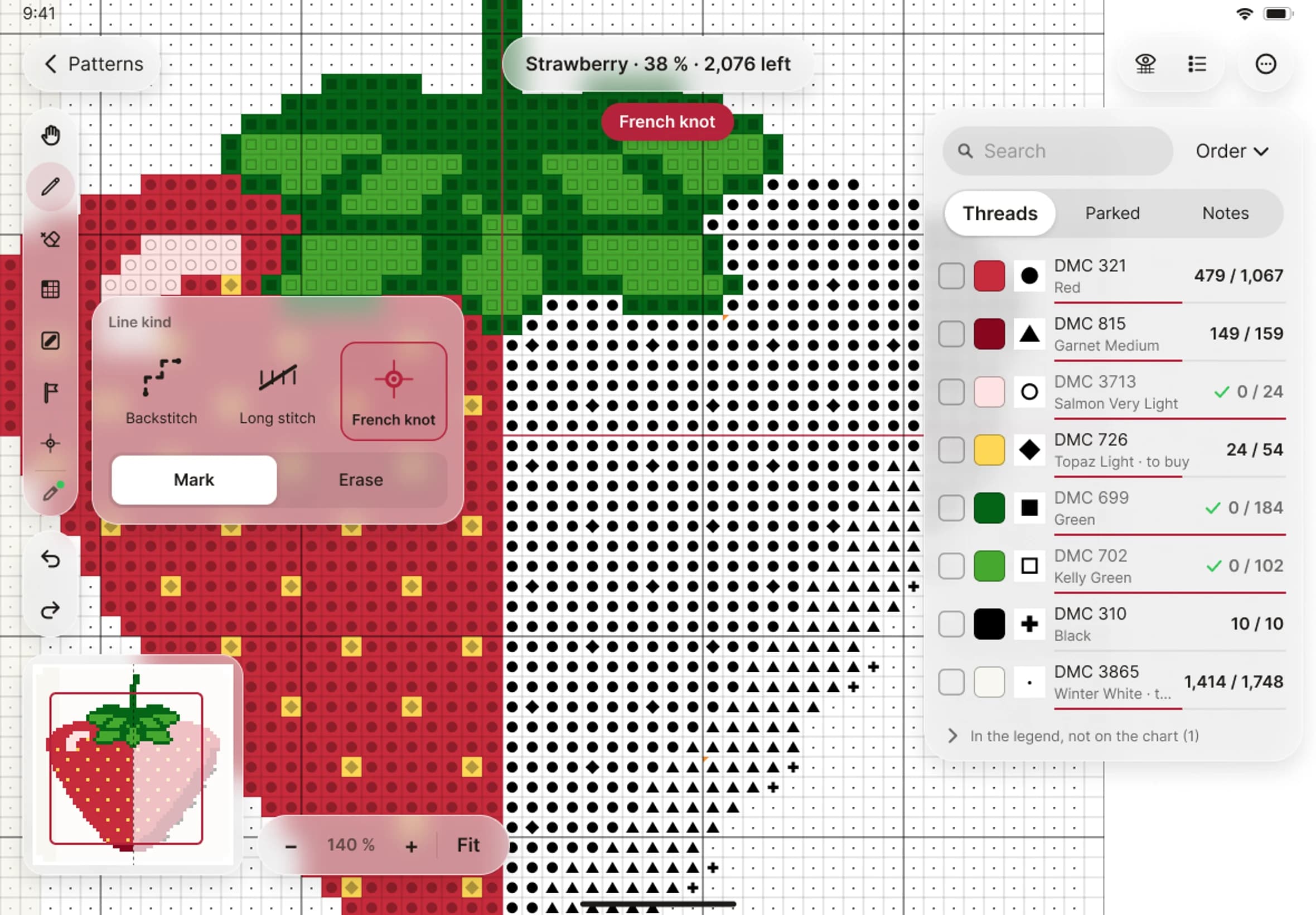
- To mark a printed line, tap it, or drag a finger along it. Stitched Off marks the pieces of the line your finger follows. A printed line always wins, so a drag along one marks that line even if you start a little to one side.
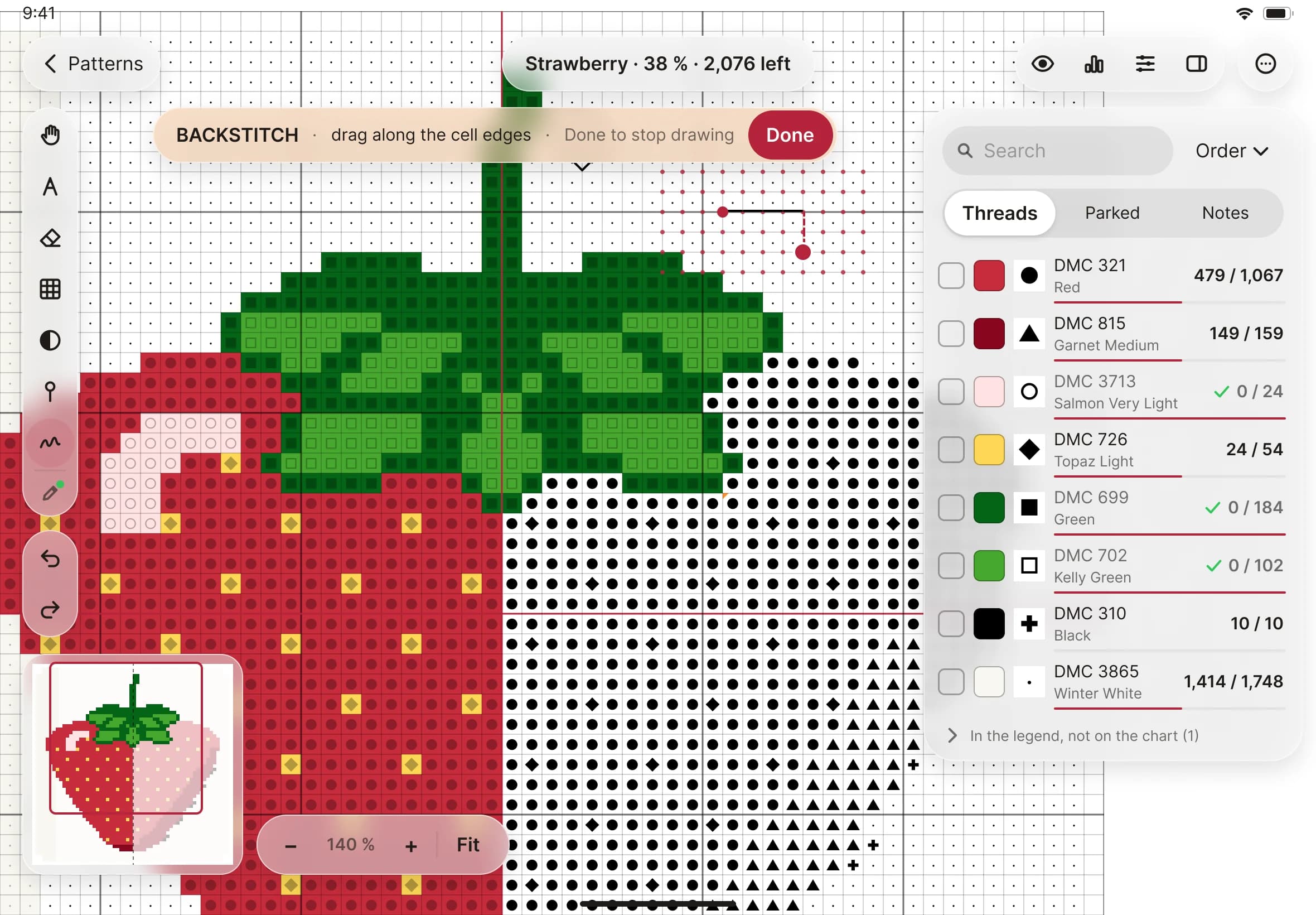
- To draw where the chart prints nothing, drag across the grid. Your line snaps to the corners, edge middles and centres of the squares nearby, and small dots show you where it will land.
- For a long stitch, choose Long in the line kind picker. Press where it starts and lift where it ends. It stays one stitch and is never split at the corners.
- To take a line out, tap Erase lines and tap or drag along it.
- Tap Done when you have finished. You go back to the tool you used before.