
Fix a grid
Set a page's grid by its corners or its size when the read looks wrong.
What you'll do: correct a chart page's grid on the Grids step.
Before you start
You are on step ② Grids. A page that Stitched Off is unsure about has a warning badge. A page with no grid found has a cross.
Steps
- Tap the page with the badge. Its grid is outlined on the page. If the outline sits on the printed squares, there is nothing to fix.
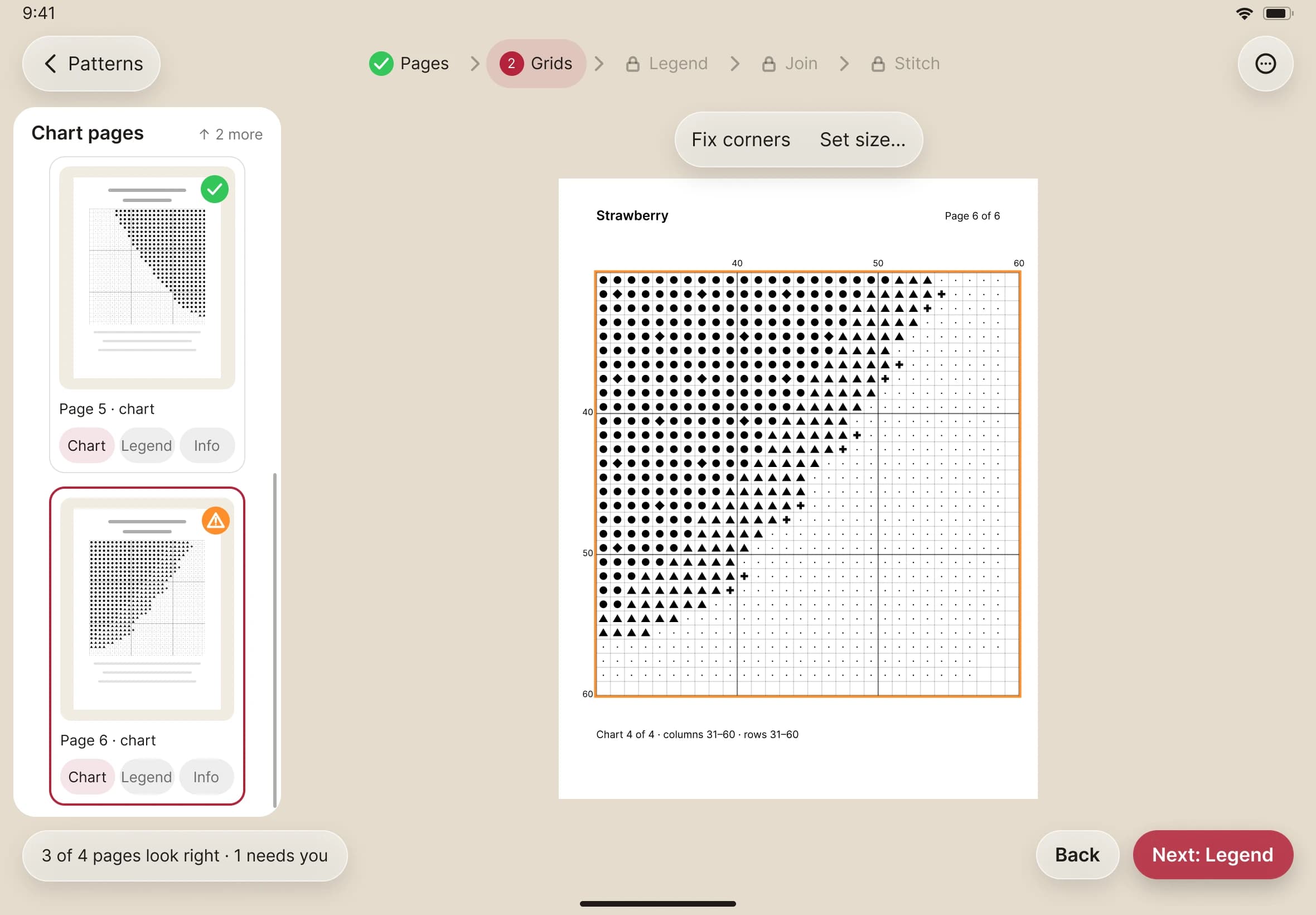
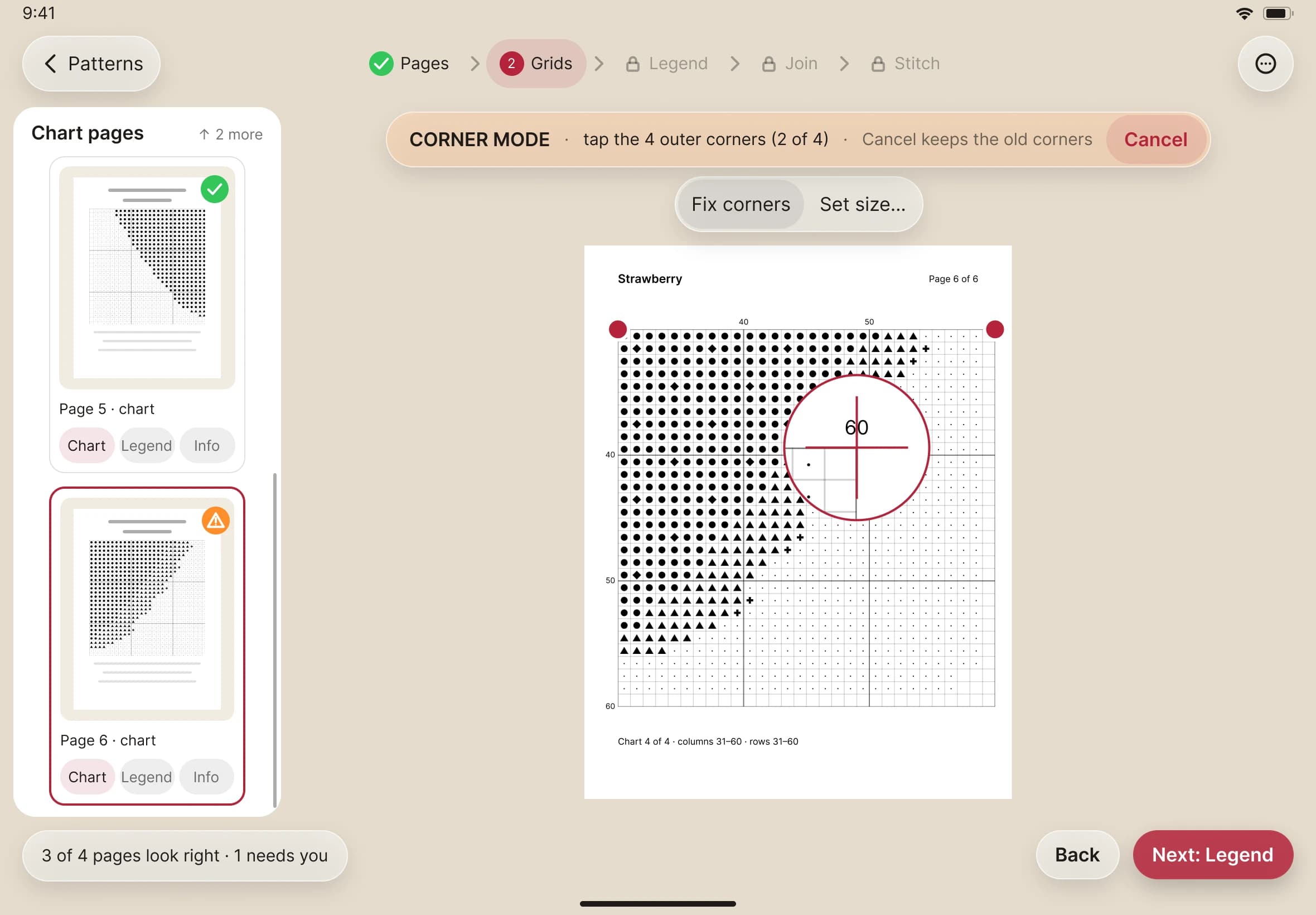
- If it is off, choose to fix the corners. Tap the grid's four outer corners. A magnifier shows exactly where each tap lands.
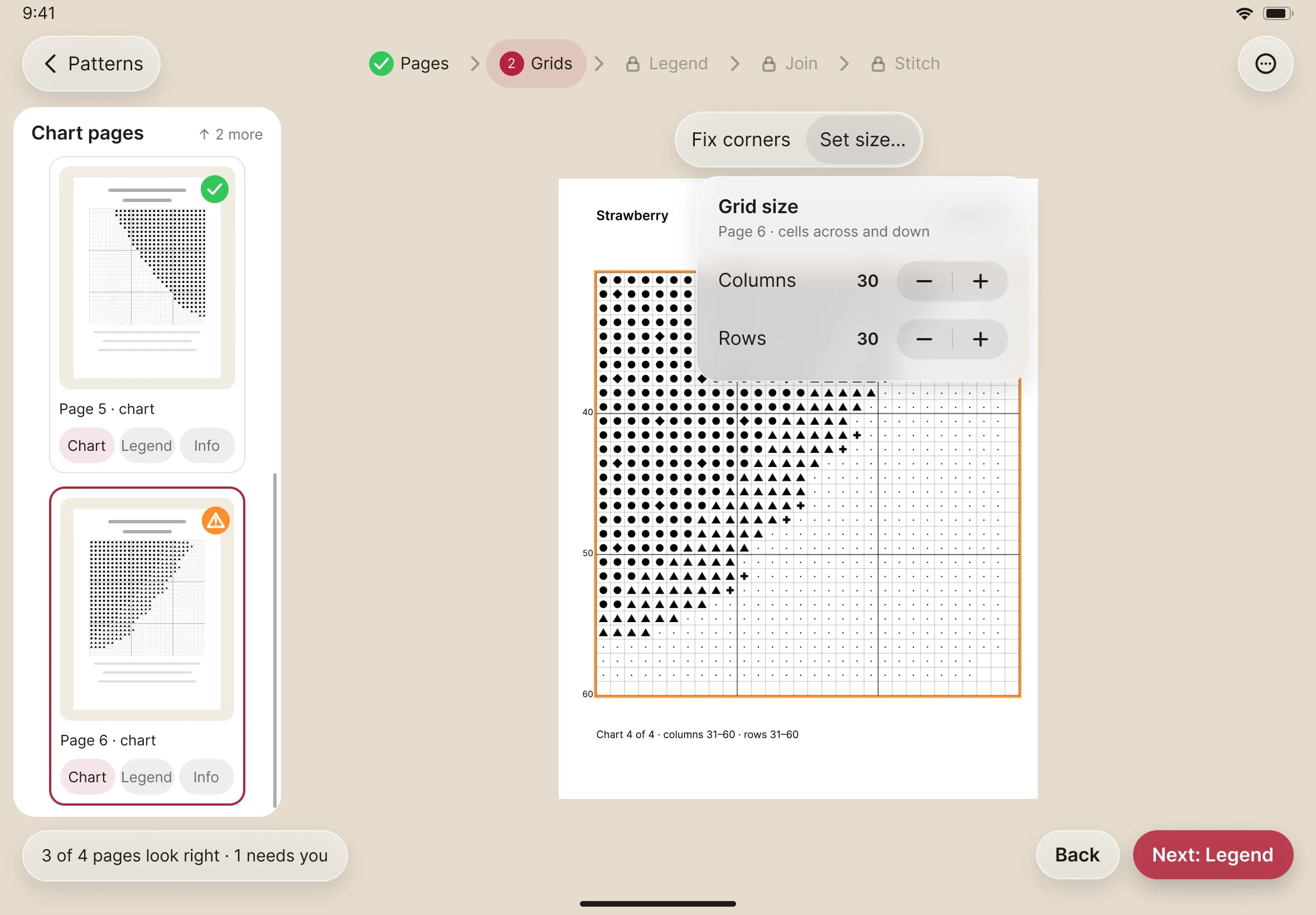
- If the squares are right but the count is wrong, set the grid's size by hand instead. Use the steppers to give the number of columns and rows.
- Check the outline again, then tap Next.