
Find your way around
The sidebar, your library and how to search it.
What you'll do: learn where everything lives in Stitched Off, and find a pattern quickly.
Steps
- Open Stitched Off. The sidebar is always on the left. At the top is the Stitched Off logo.
- Under Library you see your patterns in five groups: All patterns, In progress, Not started, Finished and Needs setup. Tap one to see only those patterns.
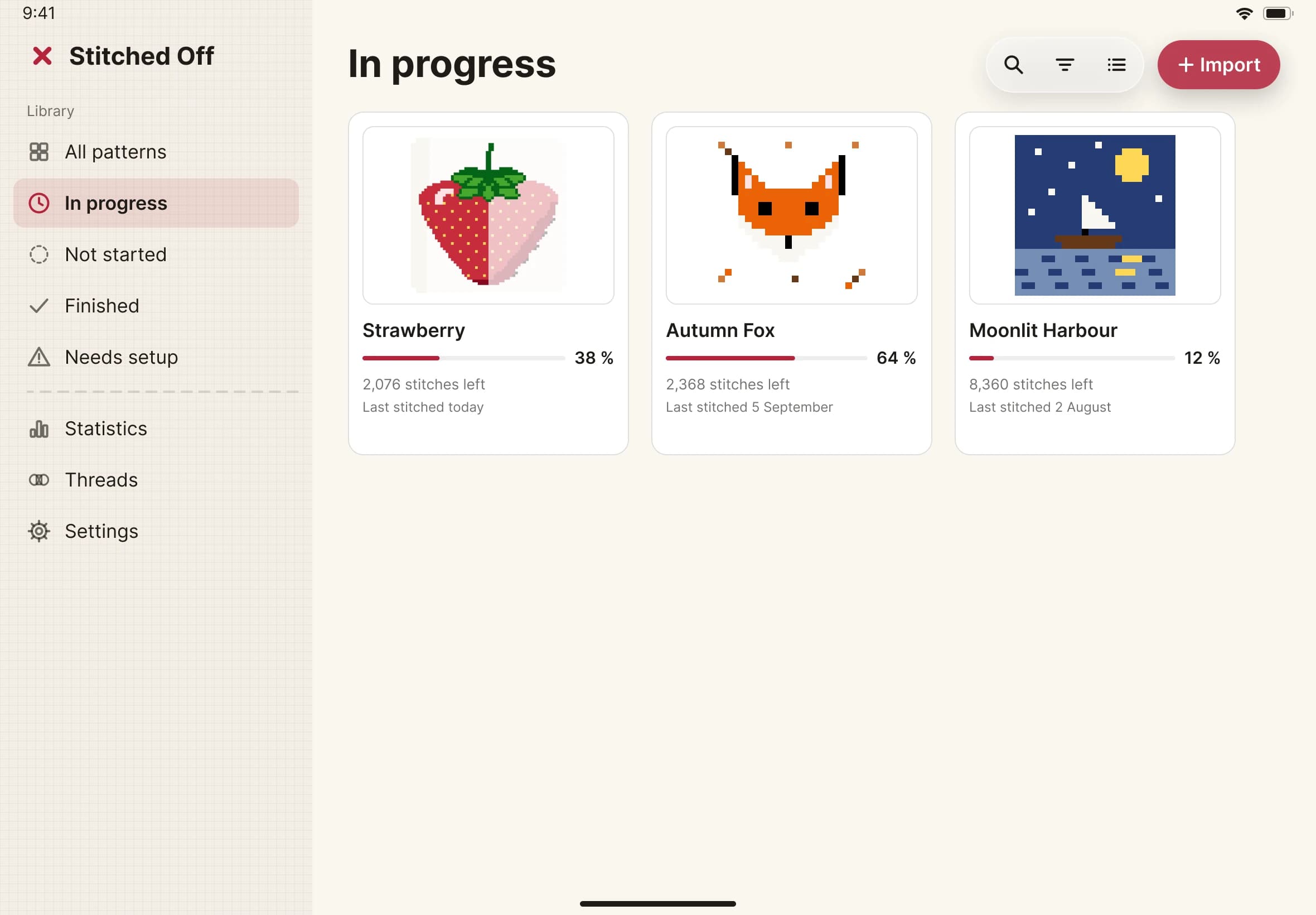
- Needs setup holds patterns you have imported but not finished setting up. Open one to carry on where you left off.
- Below the dashed line are Statistics, Threads and Settings.
- To find a pattern, tap the magnifying glass at the top right of the library and type. It looks at names, designers, notes and thread codes.
- To add a chart, tap Import, at the top right.