
Make a shopping list
List the threads a pattern needs that you don't own, and share the list.
What you'll do: get a list of the threads you need to buy for one pattern.
Before you start
Tick the threads you own, so Stitched Off knows what to leave off. See Keep track of the threads you own. The pattern's setup must be finished.
Steps
- Open your library and find the pattern's card.
- Open the card's ••• menu and choose the threads to buy.
- A sheet opens, headed Threads to buy. It says how many threads are not in your box, then lists each one with its swatch, number and name.
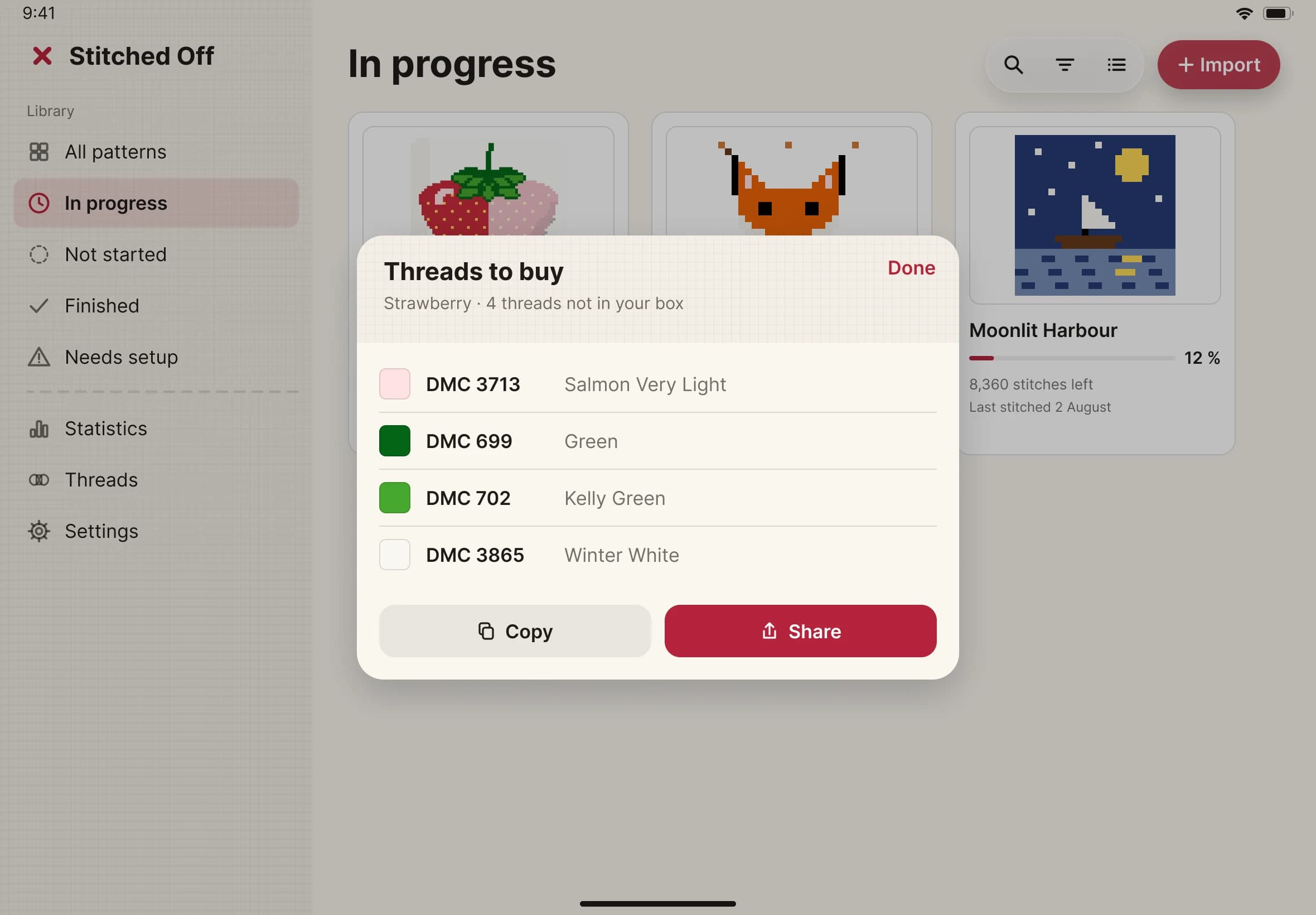
- Tap Copy to put the list on your clipboard, or Share to send it to a message, a note or a shop.
- Tap Done to close the sheet.