
Find your place with the minimap
See the whole design in thread colours and jump to any part of it.
What you'll do: use the small map of your design to see how far you have come and move around the chart.
Steps
- Open a pattern and start stitching. The minimap sits at the bottom left of the chart when your iPad is landscape, and at the top left when it is upright.
- Look at it. It shows the whole design in its thread colours. Stitched squares are solid. Squares still to do are the same colour, but faded.
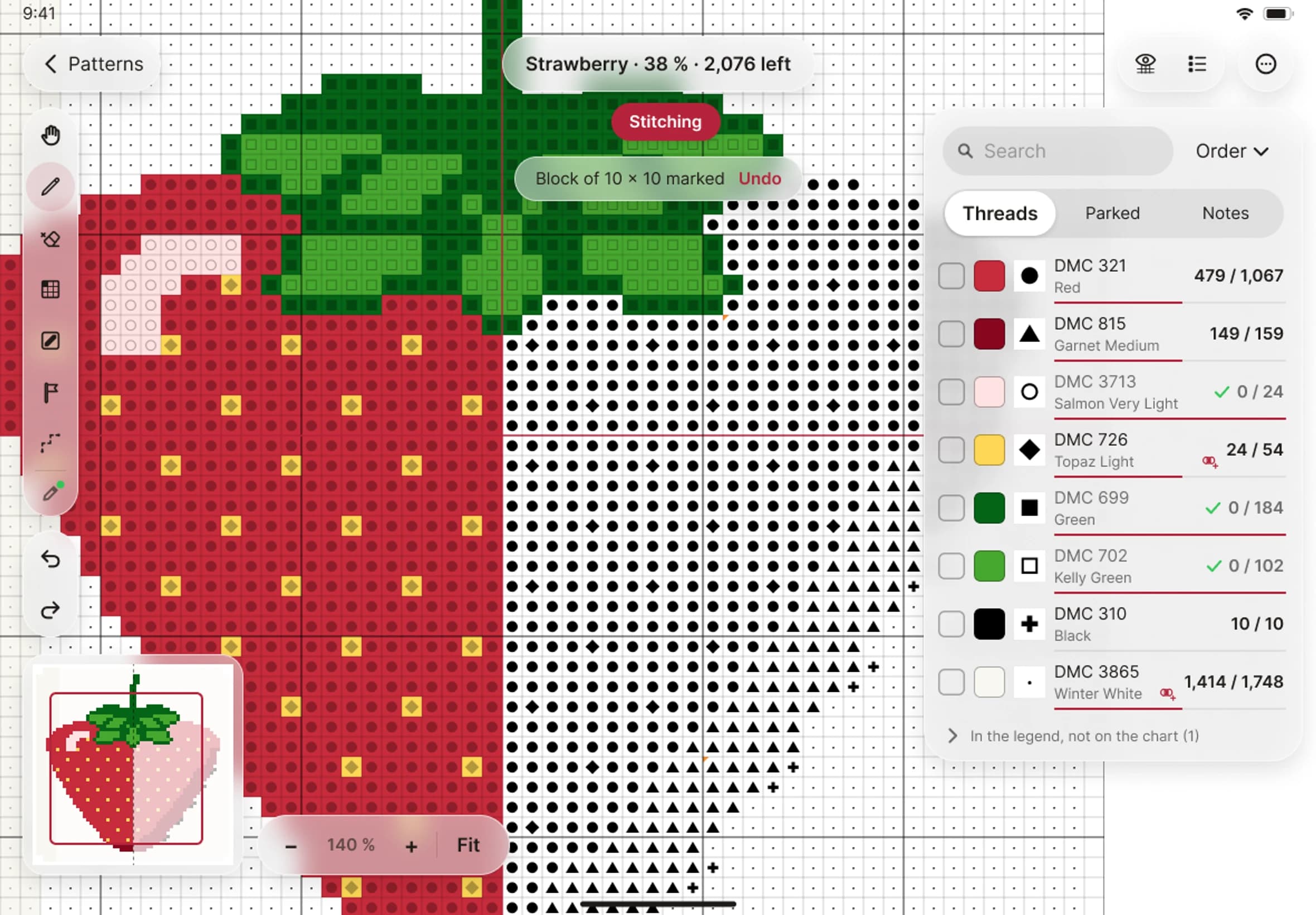
- Find the box drawn in your theme colour. It marks the part of the chart you can see now.
- Tap or drag on the minimap to move the chart to that spot.
- Carry on stitching. The minimap redraws a moment after each stroke, so it keeps up with you.