Statistics and history
See your stitching by day, week and pattern, and every session.
What you'll do: look at how much you have stitched, how fast, and when you might finish.
Steps
- Open Statistics in the sidebar. The overview shows this week's stitches and time against last week, your current streak and the patterns you have finished.
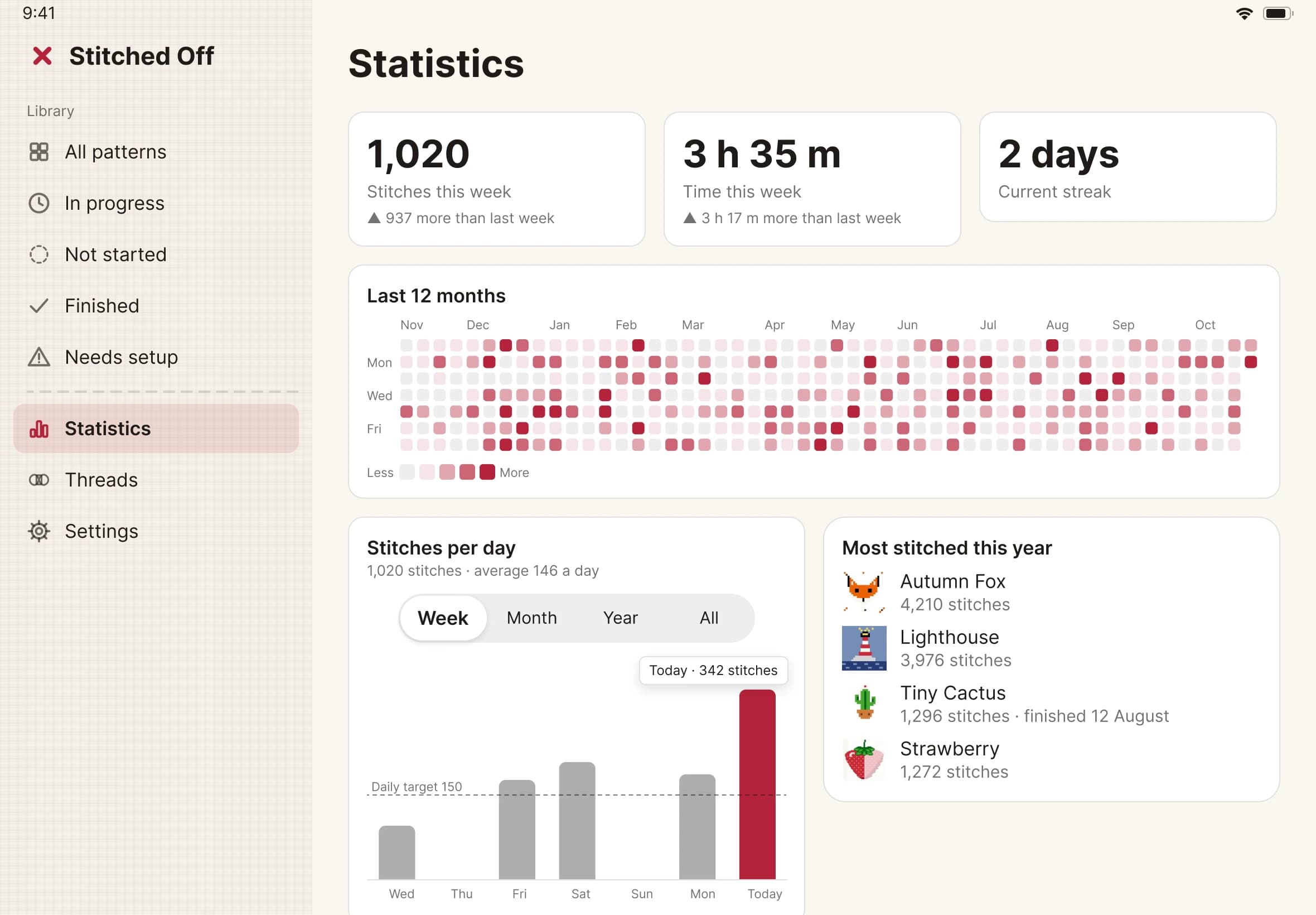
- Switch the bar chart between Week, Month, Year and All. Below it, a Last 12 months heatmap shades each day by how close you came to your target.
- Tap a pattern to open its page. You see a ring of how much is stitched, with stitched, left and total counts for the whole design. Backstitch, long stitches, knots and beads are in those counts. An estimated finish date is worked out from your pace over the last 14 days.
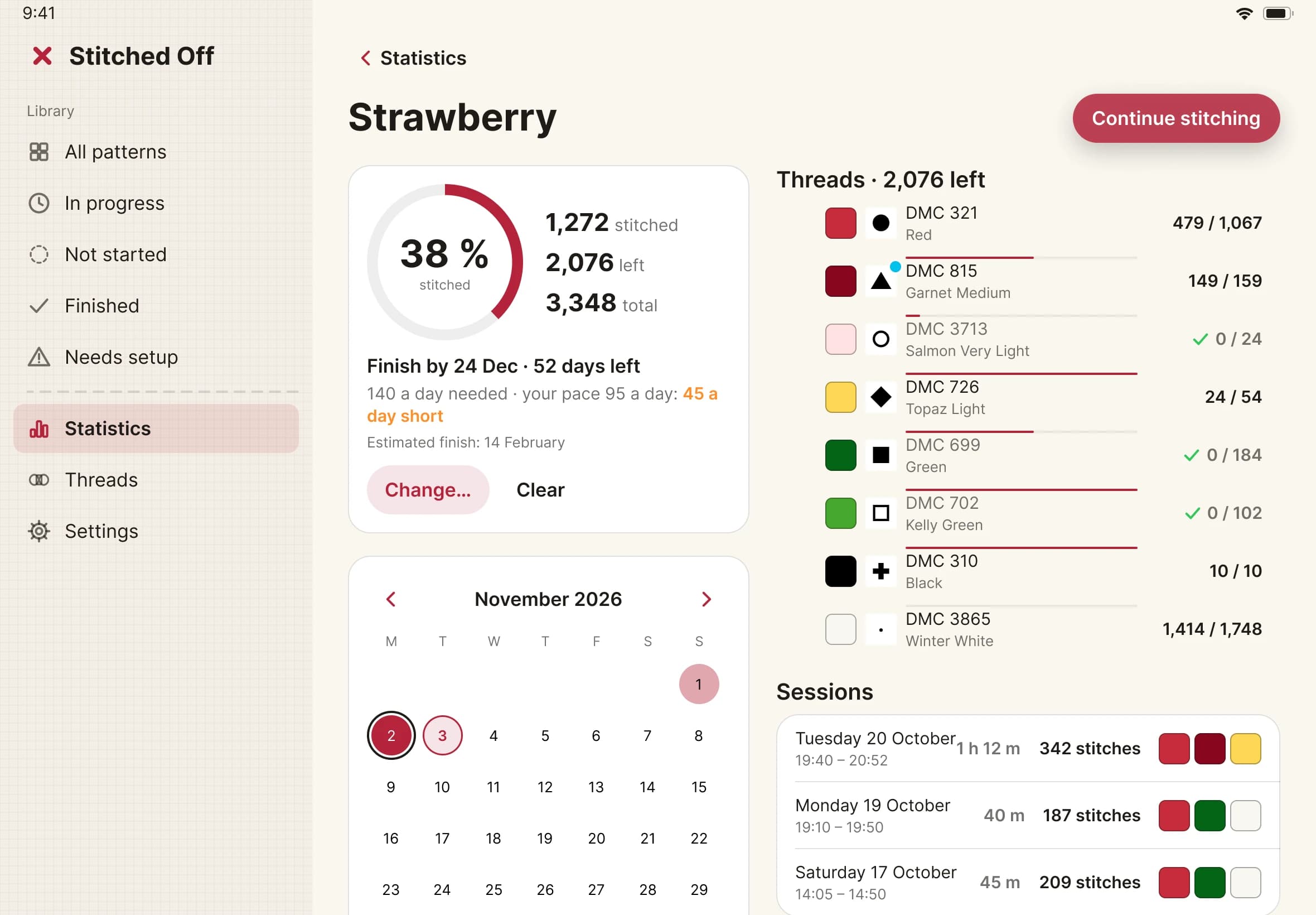
- Below, you see pages done, the threads left and a list of sessions.
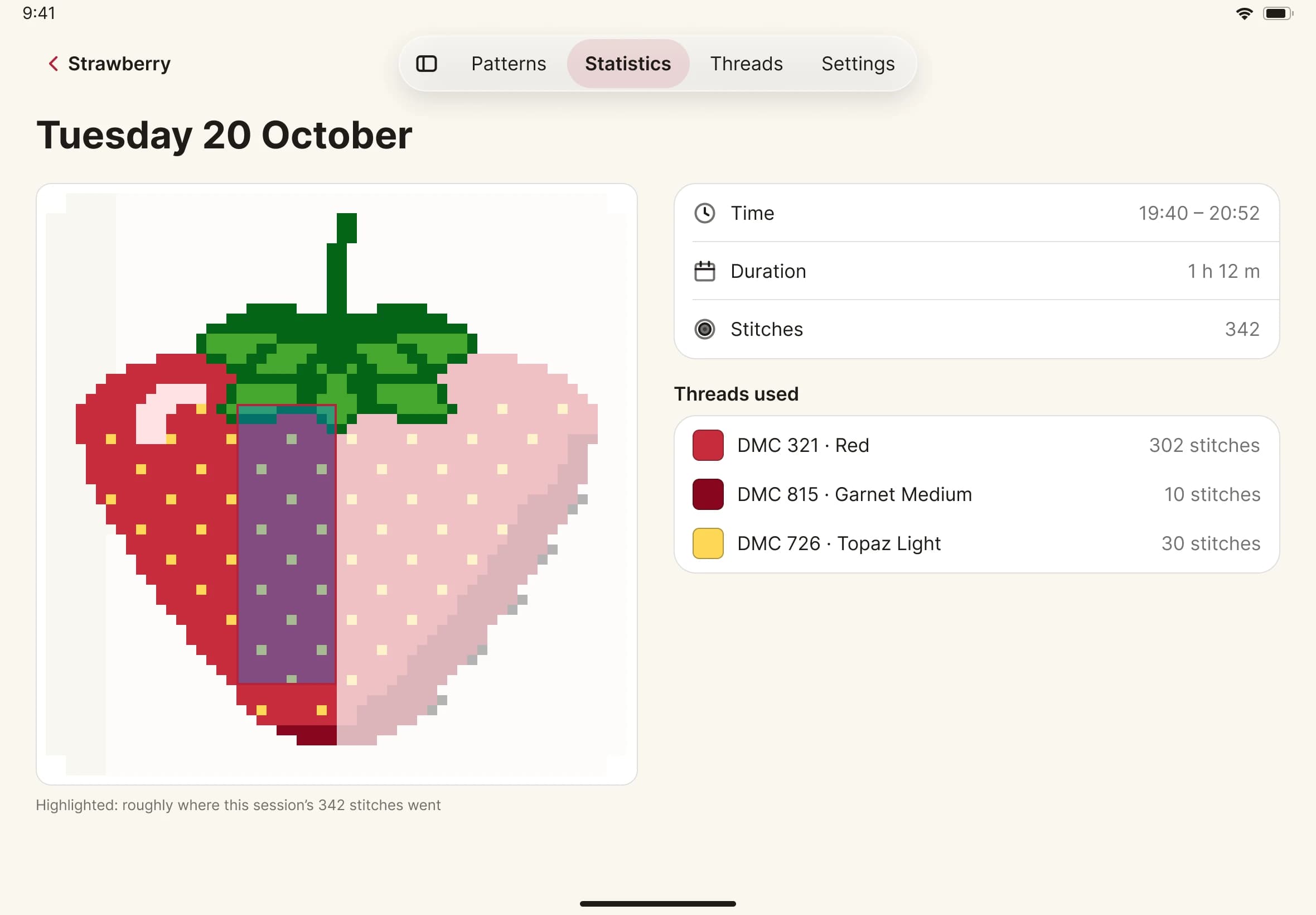
- Tap a session. It shows when you stitched, how long it took, how many stitches and which threads you used, with a picture of roughly where on the chart they went.
- To change your daily target, open Settings, then Stitching. Choose a number from 10 to 5,000. It starts at 150.
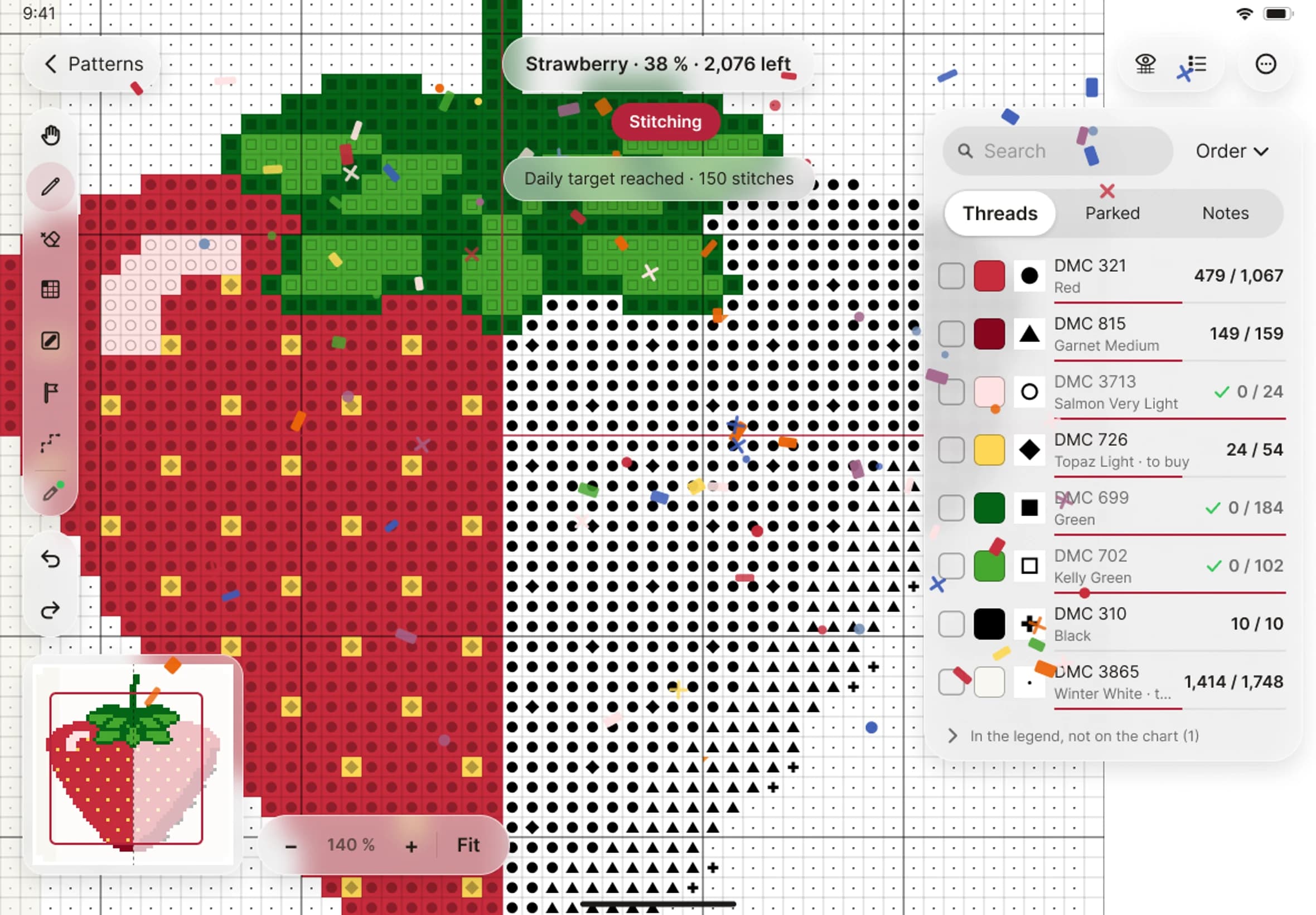
- When your stitches for the day reach your target, Stitched Off celebrates with a short burst of confetti and a note that reads "Daily target reached". It does this at most once a day, and with Reduce Motion on you see the note only.