
Half, quarter and three-quarter stitches
Mark fractional stitches in the corner you stitched.
What you'll do: mark half, quarter and three-quarter stitches in the right corner of a square.
Steps
- Open the Stitch kind picker. It lists every kind you can lay.
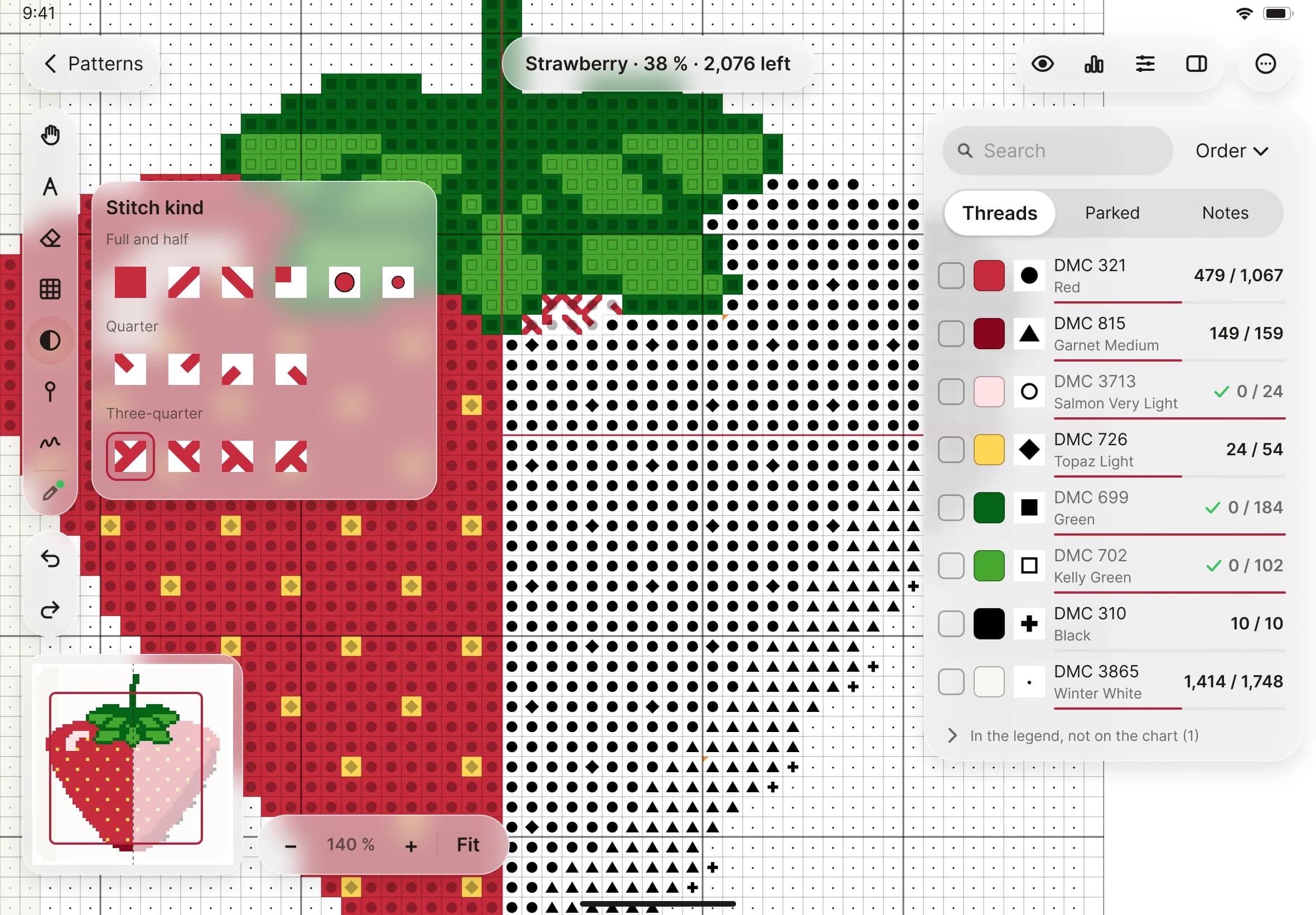
- Choose one. The first group has full stitches, the two half stitches (╱ and ╲), petite and bead. Below those are the four quarter stitches, then the four three-quarter stitches.
- With the Mark tool, tap a square. For a quarter or three-quarter stitch, the corner comes from where you tap: tap near the corner you stitched.
- When you have finished, go back to Full in the picker so your next taps are full stitches again.