
Import your first pattern
Open a cross-stitch PDF from Files and let Stitched Off read it.
What you'll do: add a chart PDF to your library and watch Stitched Off read it.
Before you start
Save your chart as a PDF on your iPad, in the Files app or in iCloud Drive. Charts from a designer's download page usually arrive this way.
Steps
- Open Stitched Off. Your library shows every pattern you have added, with its progress.
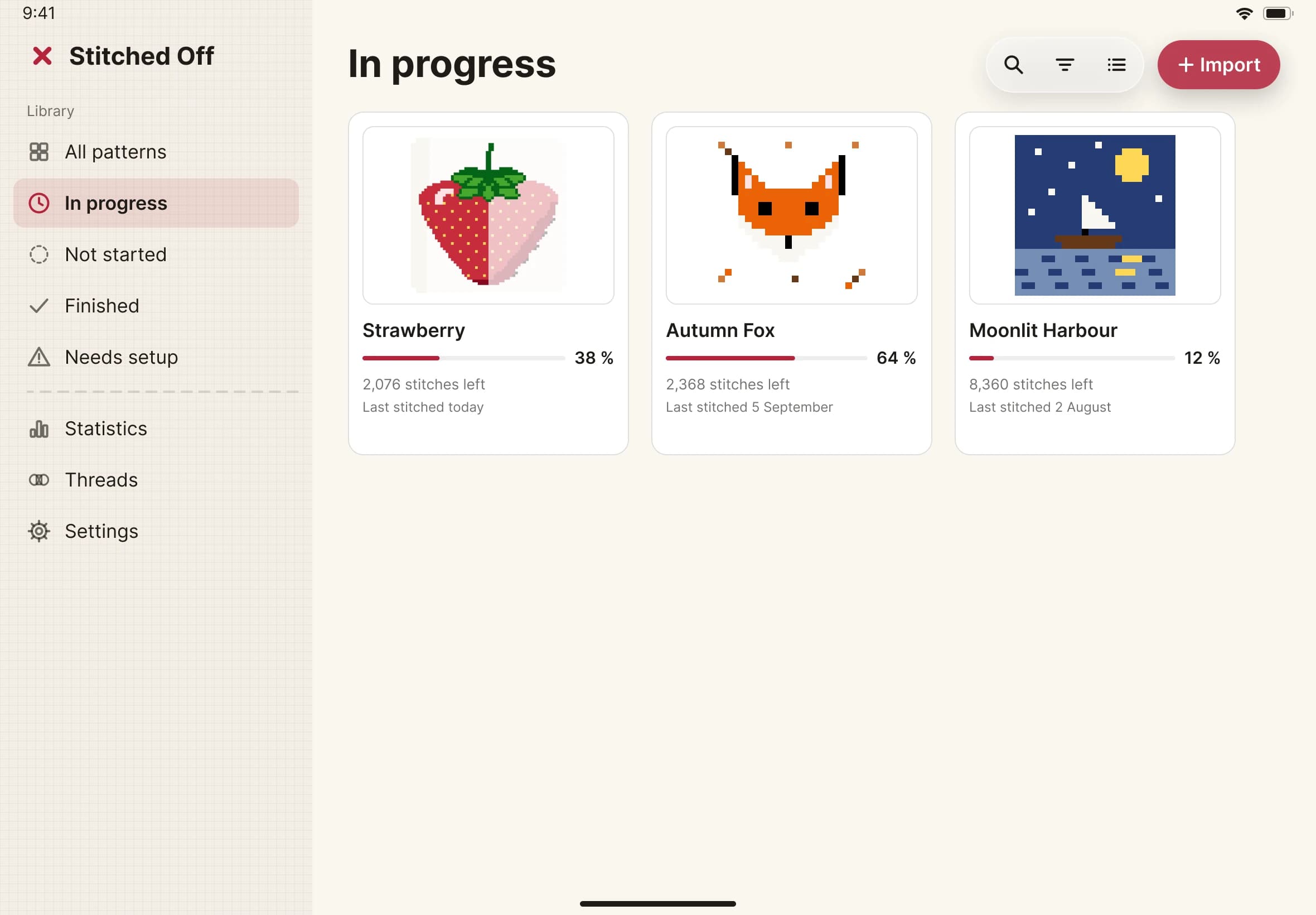
- Tap Import, the red button at the top right of the library.
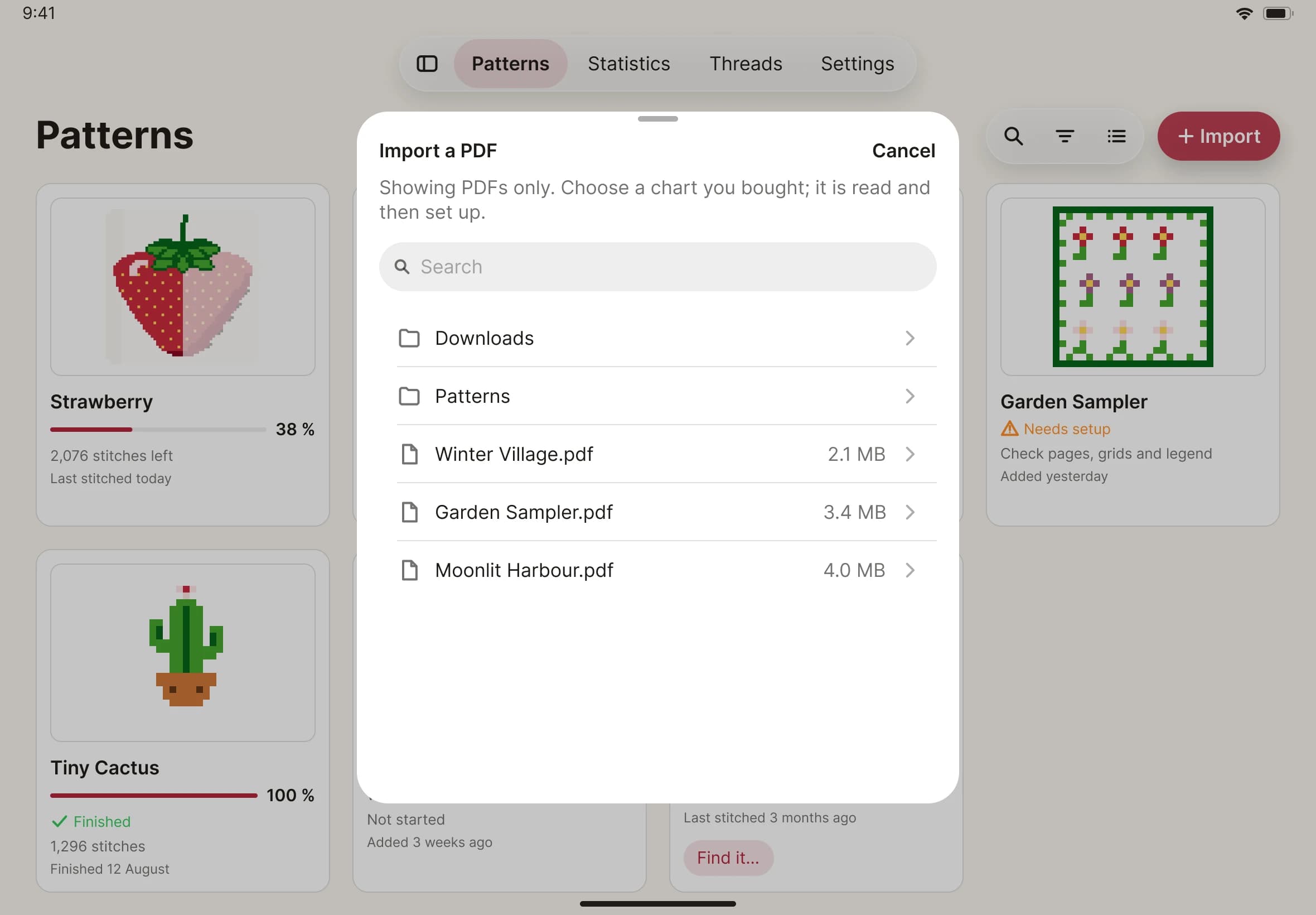
- A sheet lists the PDF files in a folder. Find your chart and tap it.
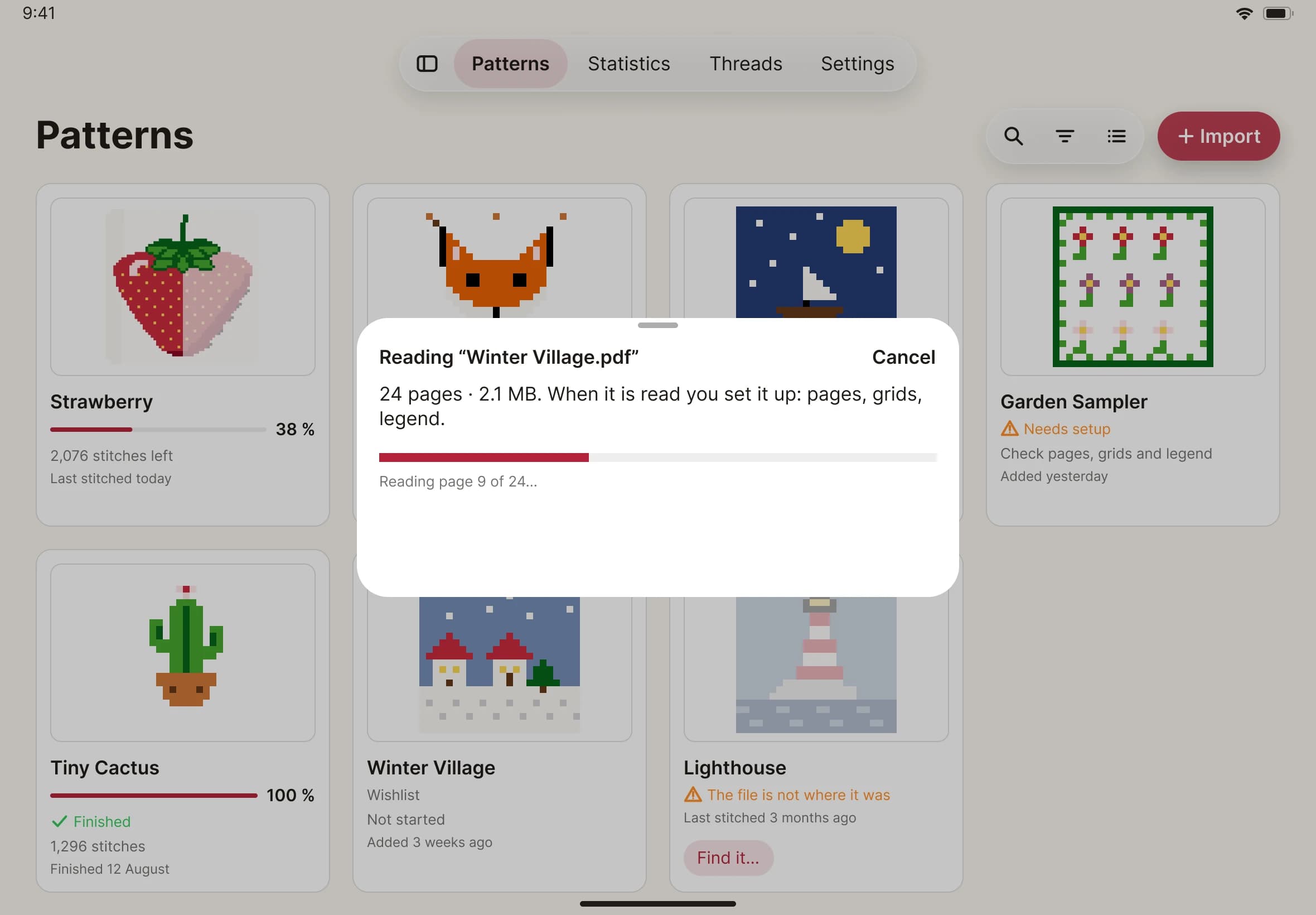
- Stitched Off reads the PDF page by page. A progress bar shows how far it has got. Large charts take a little longer.
- When the reading finishes, setup opens on the first step, Pages. That's where you tell Stitched Off which pages are the chart.