
Fix the legend
Correct a thread's code or name, and answer the legend's questions.
What you'll do: check the threads read from your chart's key and correct any that are wrong.
Before you start
You are on step ③ Legend. The key page is on one side and the thread list is on the other.
Steps
- Look down the thread list. Each row shows a colour, the chart's symbol, the thread's code and name, and how many stitches it has.
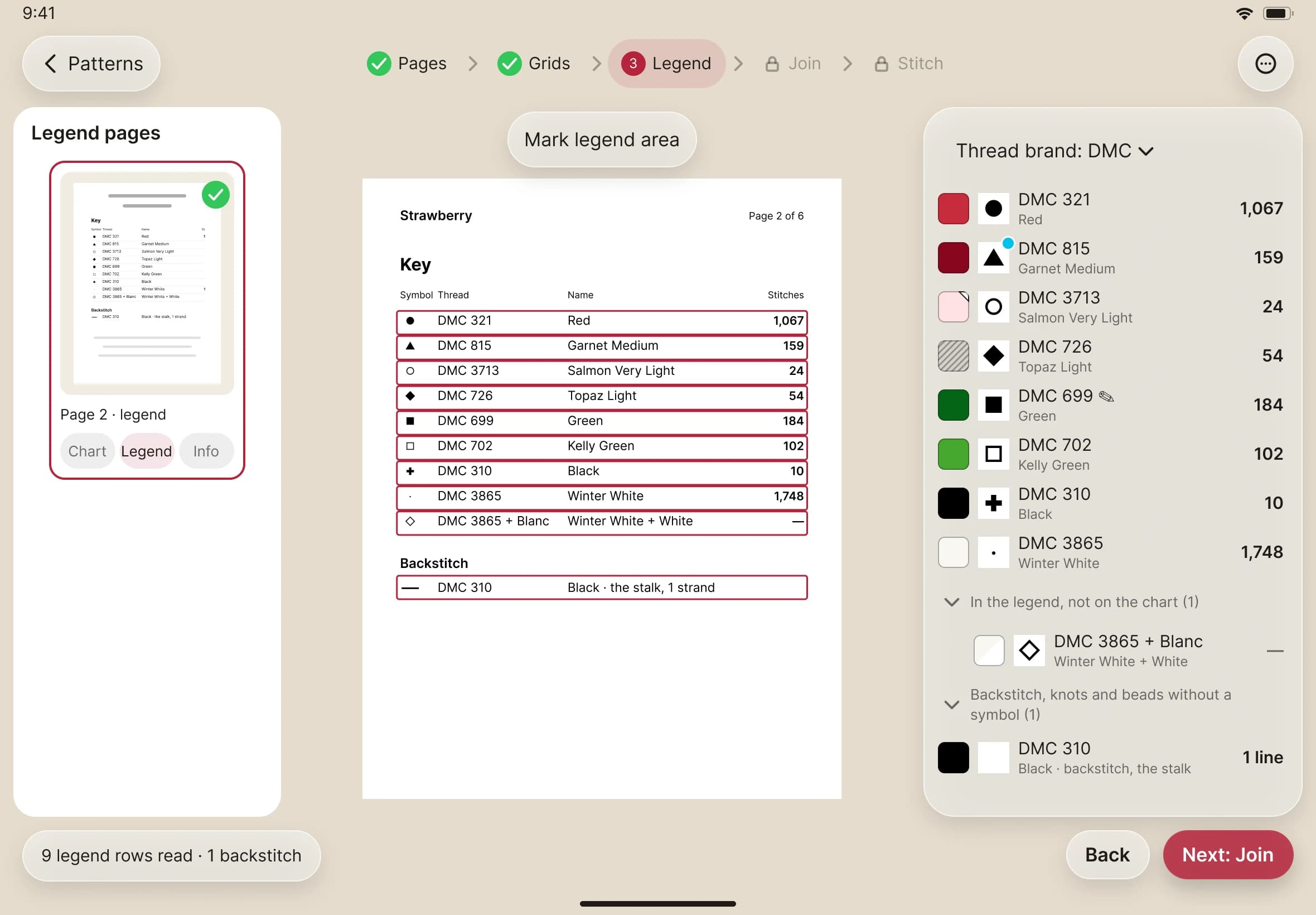
- If a code or a name is wrong, tap Change… on that row and pick the right thread. The symbol never changes, because it is how the thread is found on the chart.
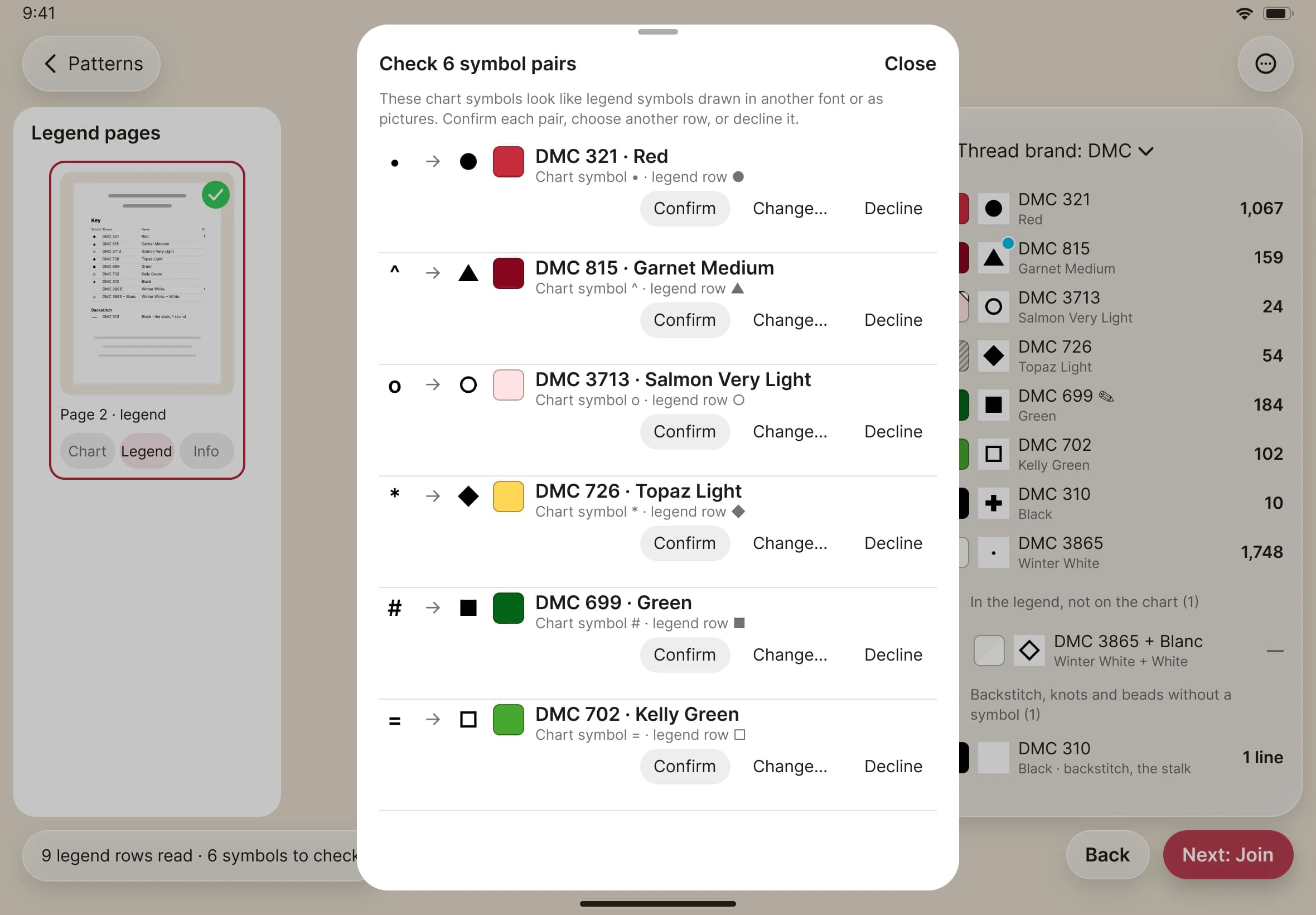
- If Stitched Off found symbols on the chart that look like ones in the legend, a banner offers a Review. The review sheet lists each pair. For each one, confirm it, change it, or decline.
- If the legend isn't being read, draw a box round it. Tap Mark legend area, then drag across the key.
- Tap Next when the list looks right.