
Park a thread
Park a thread at a square's corner and find it again later.
What you'll do: leave a marker where a thread waits, then jump back to it when you need it.
Steps
- Tick the thread you want to park in the Threads list. With one thread ticked, a tap parks that thread wherever you tap.
- Tap the Park tool, the pin in the toolbar. A banner says "Park, tap a square corner to park the thread, Done to stop parking".
- Tap the corner of the square where the thread waits. A small triangle in the thread's colour appears in that corner.
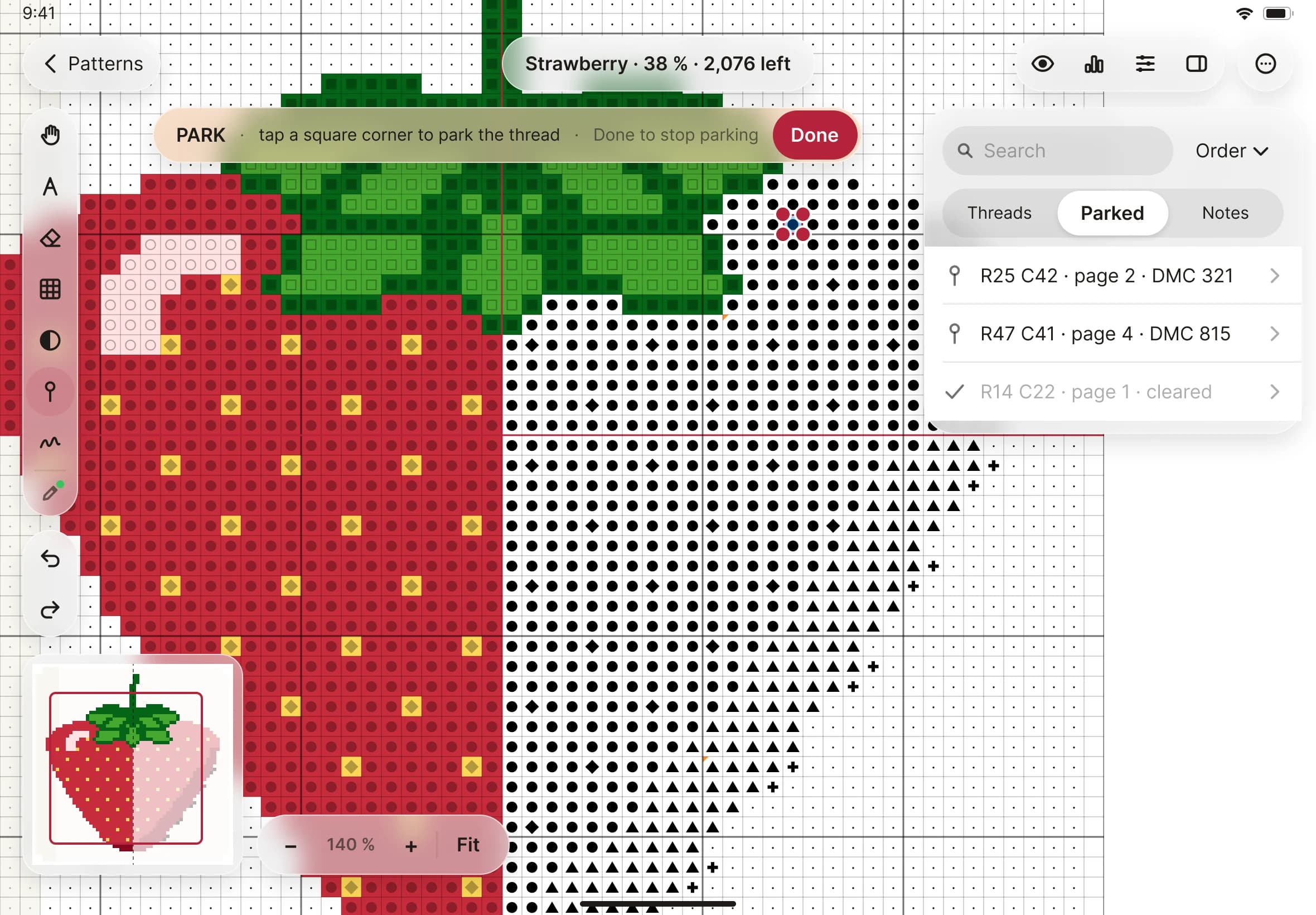
- To remove a park, tap the same corner again with the same thread.
- Tap Done when you have finished.
- To see every park, open the Parked tab in the side panel. Each row gives the row, column, page and thread. Tap a row to jump to that corner. The park flashes so you can spot it.
- Remove takes one park away. Remove cleared takes away all the cleared ones in one step.