
Set a finish-by date
Pick a day you'd like to finish by, see the pace it needs and browse your days.
What you'll do: choose a finish-by date for a pattern and see whether your pace keeps up.
Steps
- Open Statistics in the sidebar and tap a pattern. Its page shows a ring of how much is stitched.
- On the finish card, tap Set a finish date…. A sheet shows a calendar. Pick a day, then tap Save. The earliest day you can pick is today.
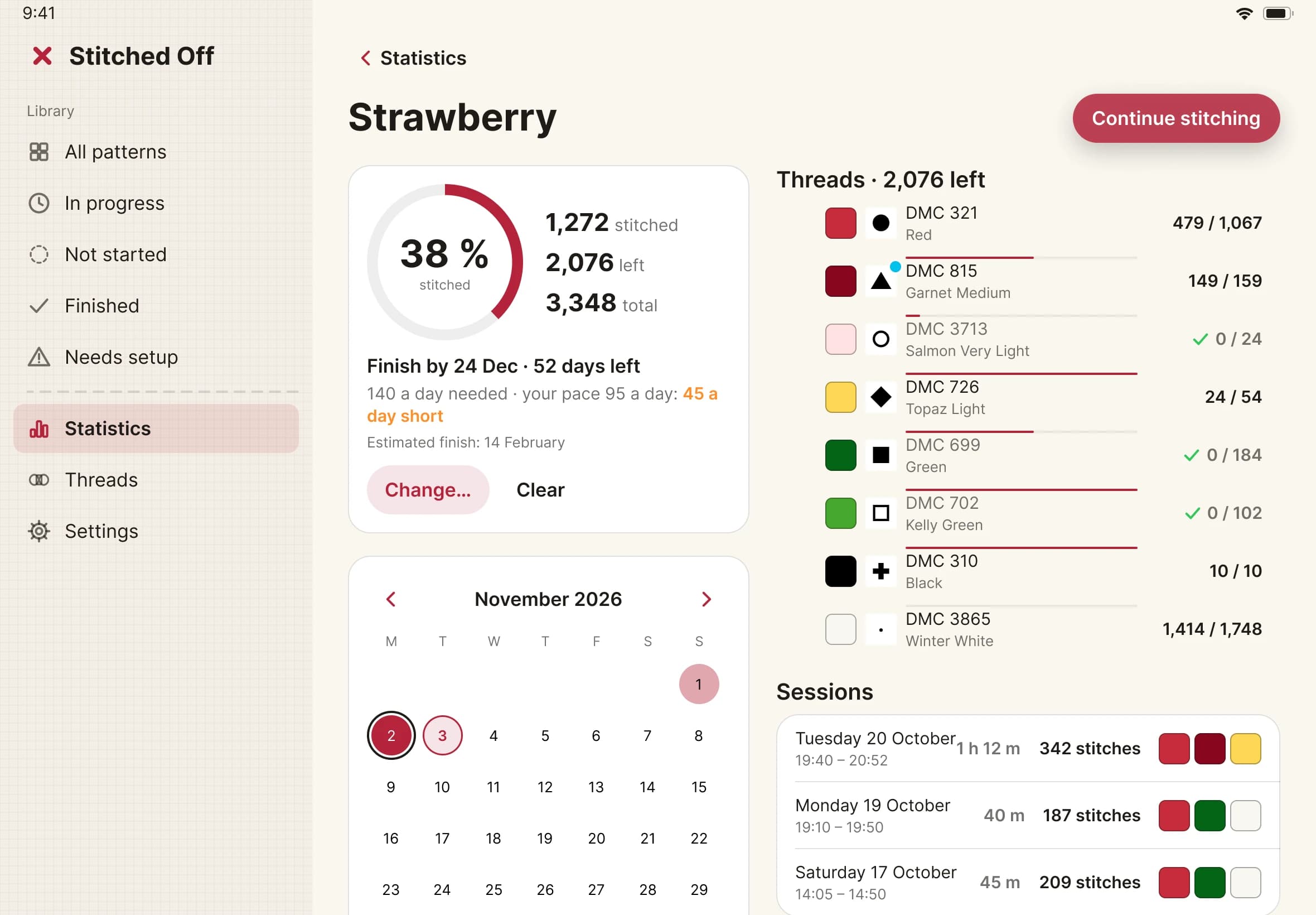
- Read the card. It says how many days are left and how many stitches a day you need, such as "140 a day needed · your pace 95 a day: 45 a day short". It can say that you are on track, that you are behind, that there is no pace yet, or that the date has passed. Once you finish, it says how many days before or after your date you did.
- To change the date, tap Change…. To remove it, tap Clear.
- Scroll to the month calendar. Each day you stitched is shaded: the more you stitched against your daily target, the darker it is. Your finish-by day has a ring, and your estimated finish has a small dot.
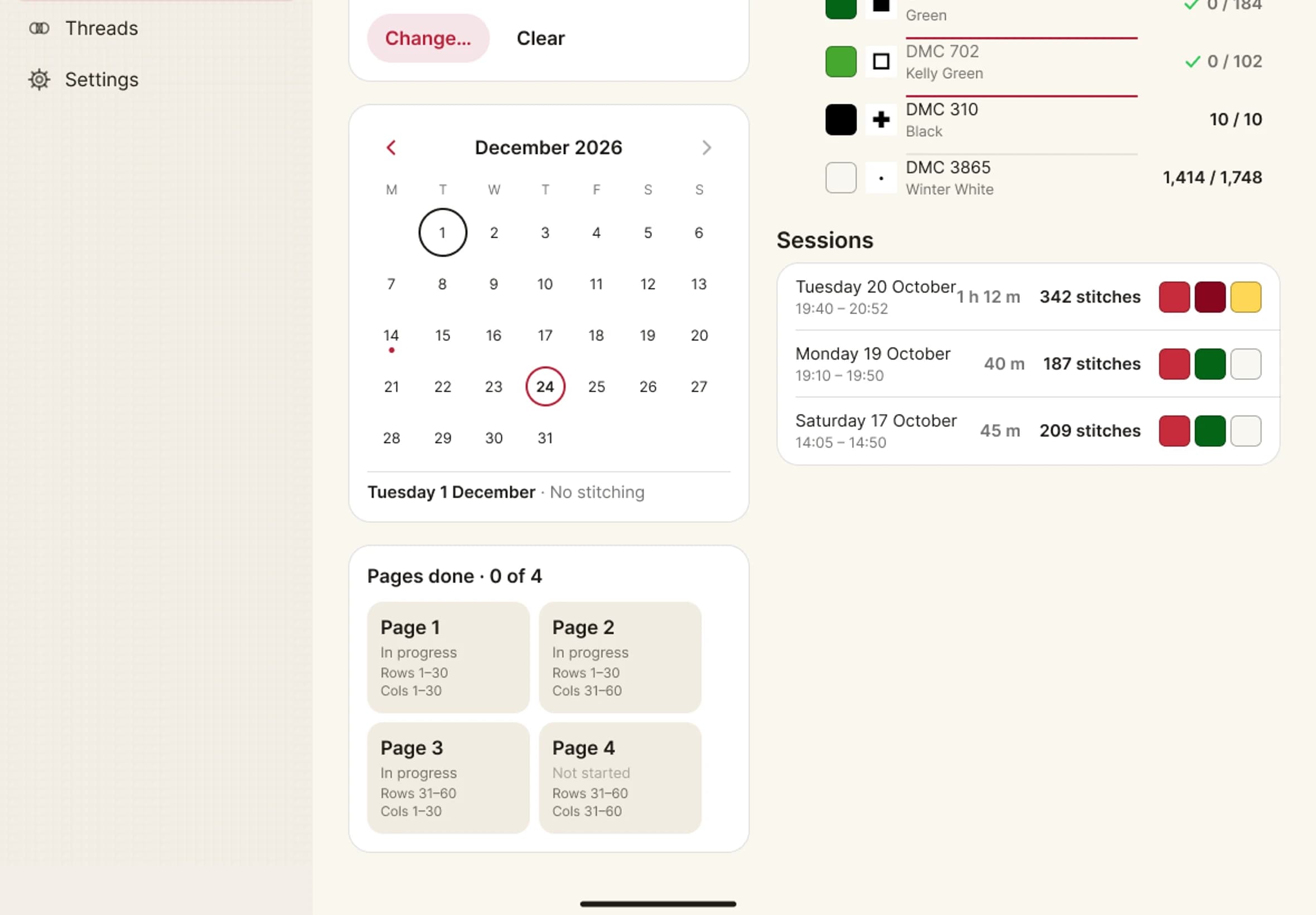
- Tap a day. A card shows the day's stitches and minutes, the threads you used most and each session. Use the arrows beside the month to move between months.